

Resource centre
Practical guidance for better document workflows
Clear explanations and operational checklists for teams choosing, preparing and managing electronic signing—not a stream of generic articles.
Electronic signatures
Understand the concepts before choosing a process.
How electronic signatures work
Intent, attribution, document association and the steps around a signature.
Electronic versus digital signatures
Why the terms are related but not interchangeable.
Security and evidence
Ask what a record demonstrates, and what it does not.
Electronic signature audit trails
A field guide to event provenance, identity limits and retention.
Orbis Sign security
Review source-observed application controls and the questions customers should still ask.
Document workflows
Contract execution controls
Keep approved versions, authority, routing and final records connected.
Send documents for signature
A sender-focused walkthrough from upload to completion.
Product guides and smaller teams
Prepare and sign a PDF online
What the current PDF workflow supports and what to check first.
Electronic signing for small businesses
Practical UK SME workflows without assuming specialised instruments are suitable.
Need to map guidance to your process?
Start a 7-day free trial with no card, or tell us what you need to send, who needs to act and how you need to retain the result.
Plain-English guides to electronic signing
These guides explain how electronic signatures work, how they differ from digital signatures and what an audit trail does and does not show.
They are general information, not legal advice. Take advice if a particular document matters or may have special signing requirements.

Electronic signature guides for UK businesses
This resource centre is written for people who send agreements as part of running a business: owners, office managers, HR leads and anyone else who has been asked to “get it signed”. Each guide takes one question that comes up when a team moves from paper to electronic signing and answers it in plain English, with the limits stated as clearly as the benefits.
If you are new to the subject, start with how electronic signatures work, then read our overview of electronic signatures in the UK for the legal background. The other guides go deeper into terminology and record-keeping. Everything here is general information about electronic signing and the Orbis Sign service, not legal advice for a particular document.

How electronic signatures work: the guide to read first
Our guide to how electronic signatures work follows a document from the moment it is approved to the moment the signed copy is filed. It separates four questions that are easy to blur together: did the person mean to sign, who actually took the action, were they allowed to sign for the business, and has the document changed since.
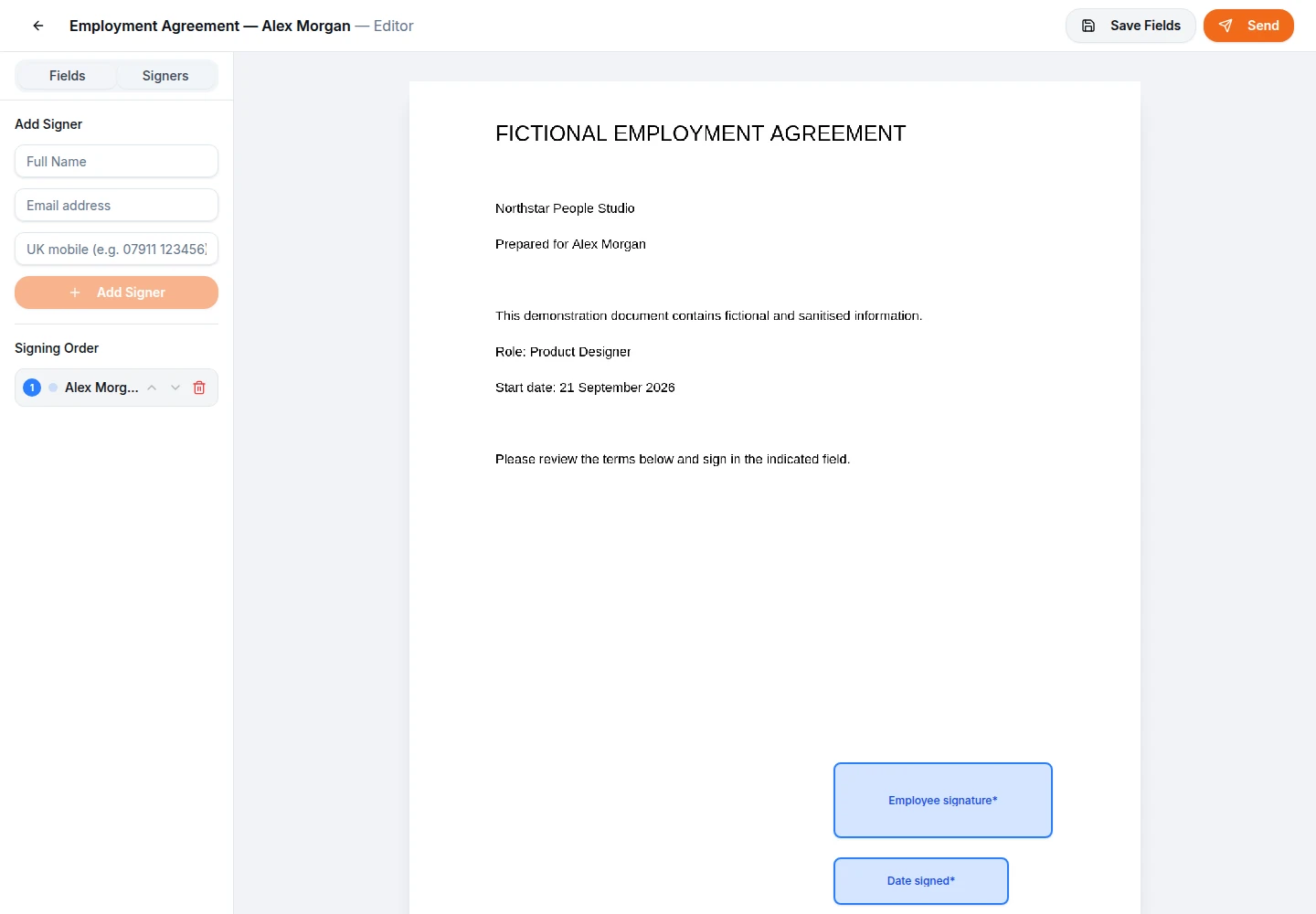
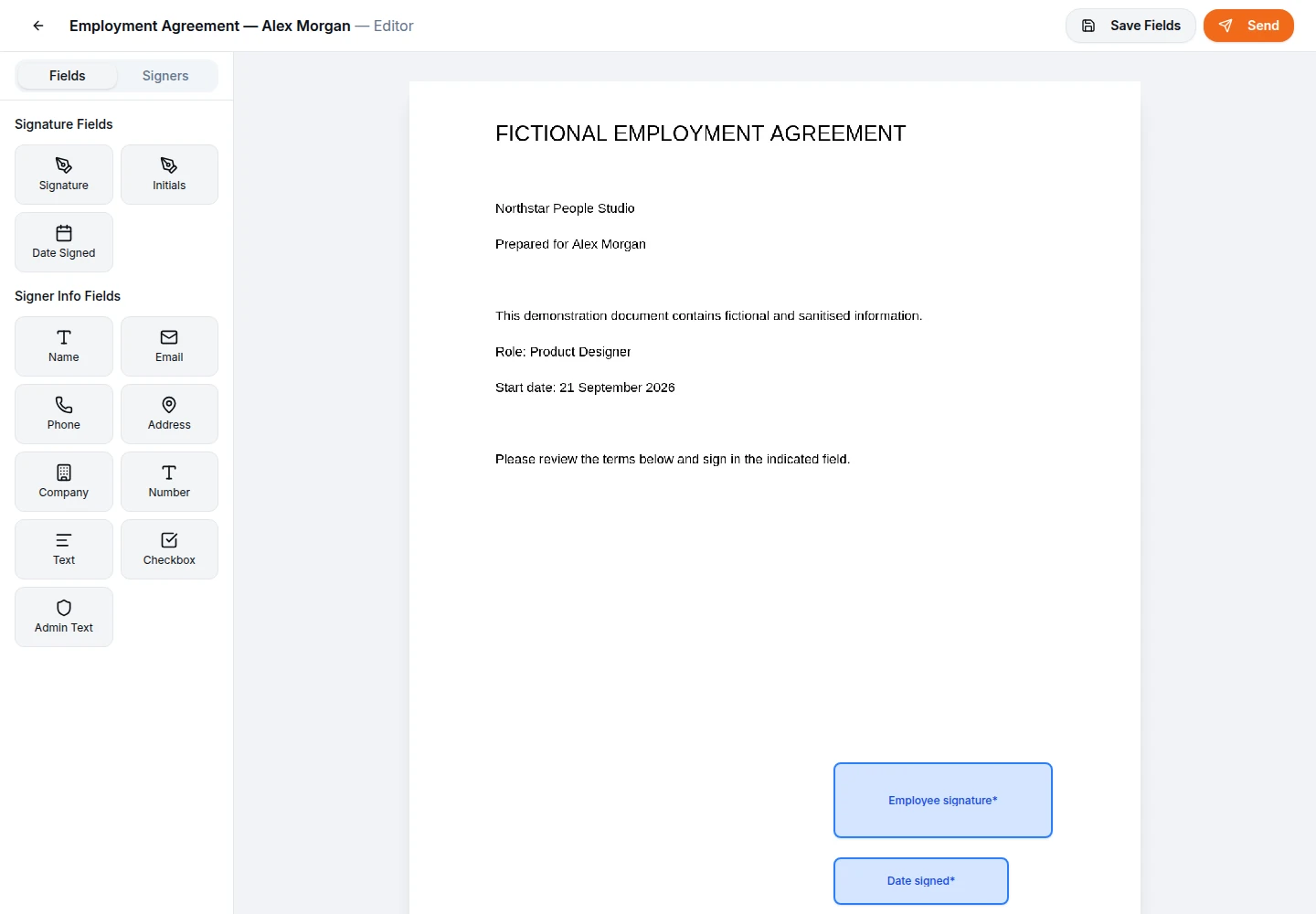
As a quick primer, a typical send in Orbis Sign looks like this. You upload a finished PDF, place signature and other fields, add each signer’s name and email address, choose whether they sign one after another or at the same time, and send. Each signer gets a unique link, reviews the document in their browser, confirms they agree to sign electronically and adds a typed or drawn signature. When the last person signs, everyone receives the completed PDF and a certificate.
Electronic signature vs digital signature, in brief
People often use the two terms as if they meant the same thing. They do not. An electronic signature is any electronic data a person uses to sign, such as a typed name or a signature drawn with a finger. A digital signature usually means a cryptographic technique based on a pair of keys and, often, a certificate issued by a third party.
Orbis Sign provides standard electronic signatures. It does not issue certificates or apply certificate-based digital signatures, and it does not provide advanced or qualified electronic signatures as described in UK eIDAS. Our guide to electronic signature vs digital signature explains what each term means, where the UK’s three levels of electronic signature fit and how to decide which your document needs.

Audit trails and certificates of completion
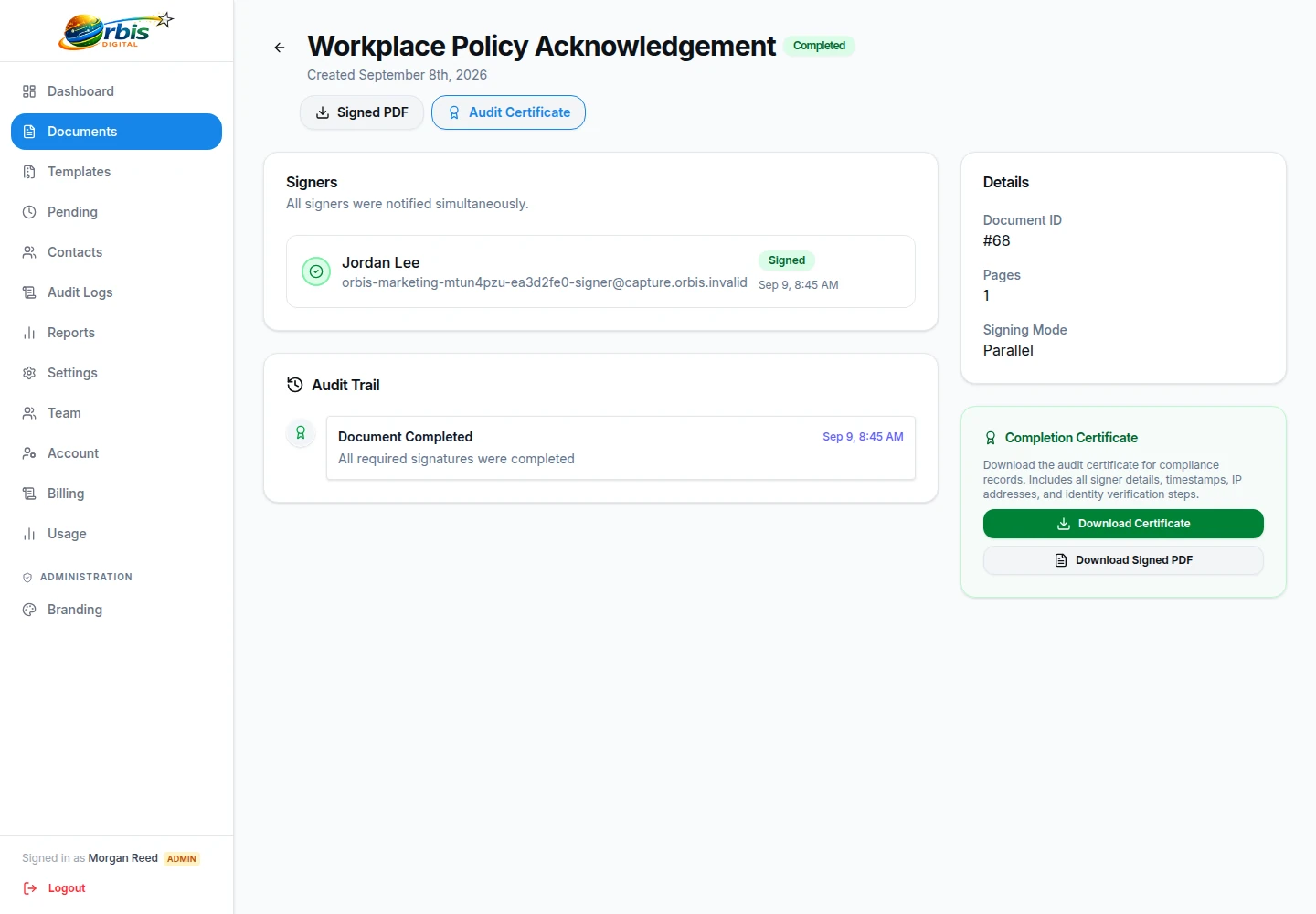
Every completed Orbis Sign document comes with a separate certificate. It lists each signer’s name and email address, their status and signing time, the IP address recorded when they signed, the version of the consent wording they accepted, a table of events with times, and a SHA-256 hash of the completed PDF. Where a one-time passcode was used, it also shows that the signer’s email address was verified.
That is useful for your own records, but it is worth knowing what such a record can and cannot show before you rely on it. The audit trail guide walks through each item on the certificate, explains how to compare a PDF with its recorded hash and sets out the questions a record cannot answer on its own.
UK electronic signature law: where to begin
In England and Wales, electronic signatures are generally capable of being legally valid and admissible in evidence. The Electronic Communications Act 2000 deals with admissibility, the UK kept its own version of the eIDAS rules after leaving the EU, and the Law Commission’s 2019 report concluded that an electronic signature is generally capable of meeting a statutory requirement for a signature.
That general position comes with exceptions. Deeds that need a witness, some property and Land Registry transactions, wills and certain regulated or court documents have extra formalities that an ordinary signing workflow may not meet. Our page on electronic signatures in the UK sets out the background in more detail. If a particular document matters, check its requirements or take advice before you send it.

Short primers: preparing a document for signature
Most signing problems start before anything is sent. These short notes cover the checks that save the most time.
Convert to PDF first
Orbis Sign accepts PDF files only, up to 10 MB in the browser. Save Word documents as PDF before uploading, and remove any password protection, because protected or damaged files are rejected. There is no page limit.
Check every name and address
Recipients cannot be changed once a document has been sent. A misspelt email address means cancelling and sending a corrected copy, so read the list back before pressing send.
Give each signer something to do
Every signer needs at least one field. Fields are required by default; make the ones that genuinely do not matter optional so that nobody is stuck at the end. The PDF editor shows who each field belongs to.
Short primers: running electronic signing as a team
Once more than one person sends documents, a little structure helps. Save documents you send often as templates so that fields are placed once and reused. By default, standard users can use templates but not create them, which keeps approved wording in the hands of the people responsible for it.
Decide who needs which role. Orbis Sign has Owner, Admin and User roles, plus custom roles built from detailed permissions. Turn on two-factor authentication with an authenticator app, and consider a workspace policy that requires it for the roles that can see the most. The plan has no per-user charge, so adding a colleague does not change the price.

Short primers: keeping signed records
A signed document is only useful if you can find it later. Orbis Sign keeps completed documents until you choose to delete them; it does not delete them automatically. Deleting is permanent, so make sure you hold your own copy first.
Downloads are per document: the signed PDF and its certificate. There is no bulk export, so the simplest habit is to file both into your usual records system when a document completes. Treat them as personal data under your normal data protection arrangements, and decide how long you need to keep them. Our security page explains how the service is run.

Resources: common questions
Are these guides legal advice?
No. They are general information about electronic signing in the UK and about how Orbis Sign works. They focus on England and Wales. Whether a particular document can be signed electronically, and what evidence you need, depends on the document and the circumstances, so take advice from a qualified adviser when a document is important or unusual.
Which guide should I read first?
Start with how electronic signatures work. It explains the steps from an approved document to a filed signed copy, and introduces the ideas the other guides build on. Then read the guide to electronic signatures in the UK for the legal background, and the audit trail guide if you are responsible for keeping records.
Does Orbis Sign offer digital signatures?
No. Orbis Sign provides standard electronic signatures: the signer types or draws a signature after agreeing to sign electronically. It does not apply certificate-based digital signatures and does not provide advanced or qualified electronic signatures. If your document or counterparty needs one of those, you will need a specialist provider.
Can I try Orbis Sign before paying?
Yes. There is a 7-day free trial and you do not need to give card details to start it. After that there is one plan at £8.99 per month, which covers up to 500 documents sent for signature each month with no charge per user.
Where do I go if my question is not answered here?
Our help pages cover common tasks such as uploading a PDF, adding signers and downloading signed copies. If you still need help, contact us through the contact page. Support is provided by email.