



UK Electronic Signature Software

Electronic signatures made simple.

A practical online workflow for UK businesses. Prepare PDFs, send them for signature, and track completion from one structured workspace.

Standard plan £8.99/month · Up to 500 documents for signature each month
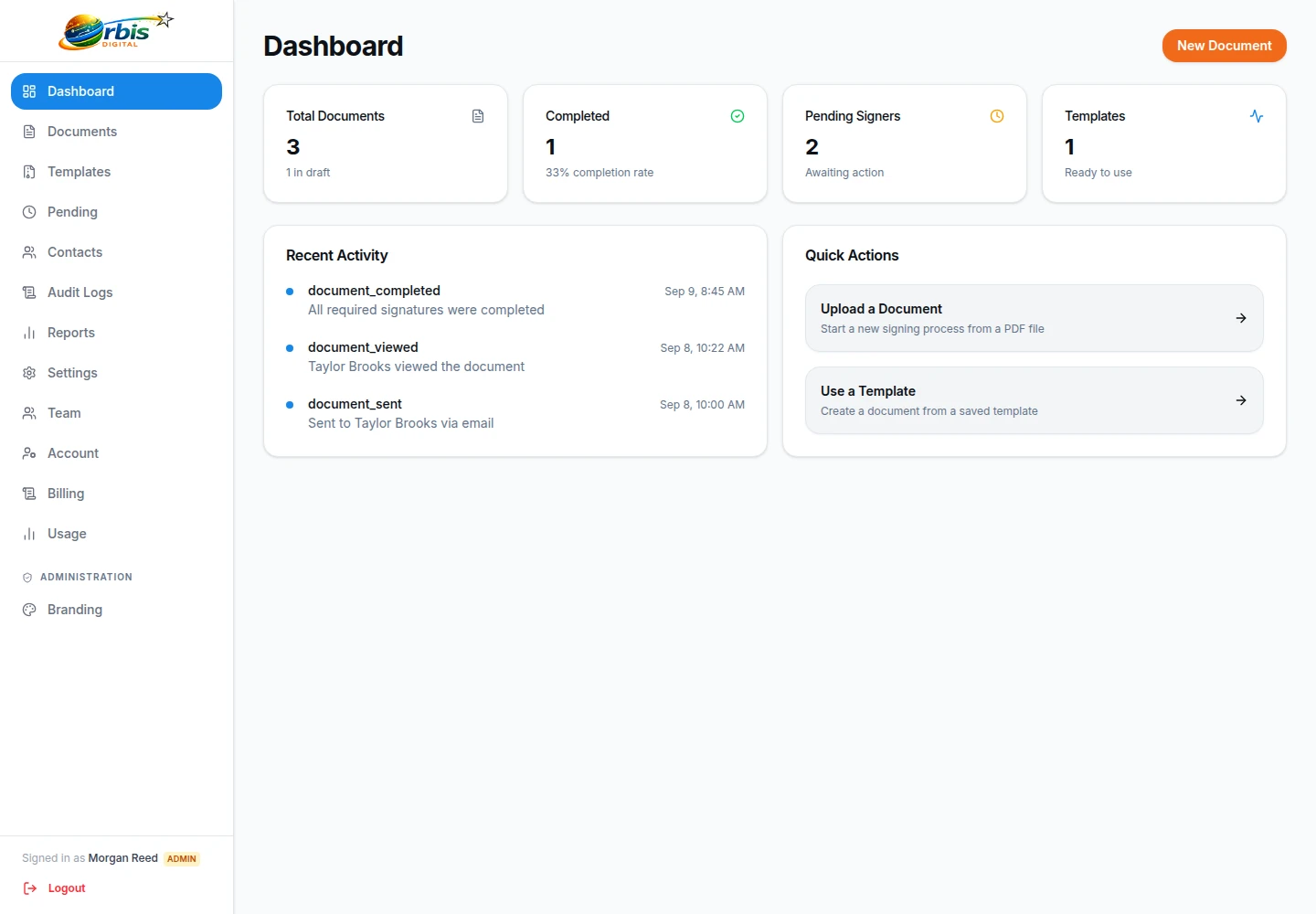
Workspace overview showing pending and completed documents
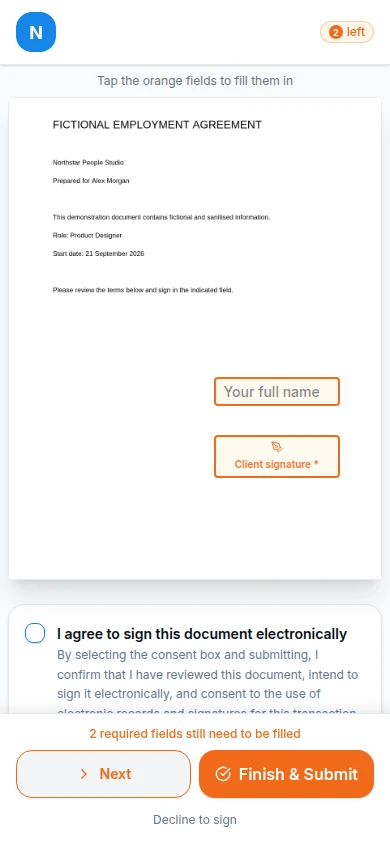
Mobile recipient signature experience

Controlled document preparation

Move away from static attachments. Prepare documents visually and follow their status clearly.

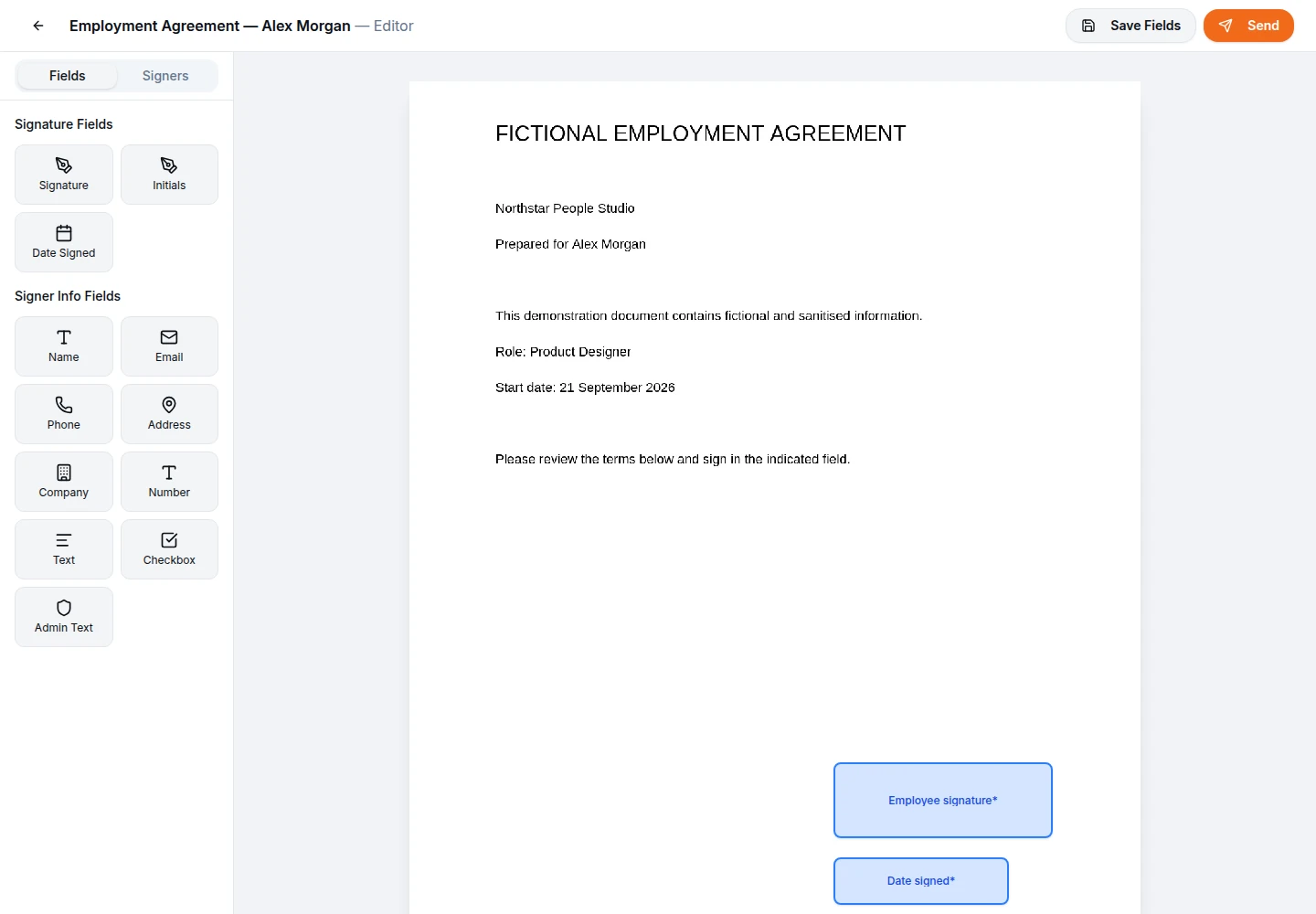
Visual PDF editor placing signature fields
1

Prepare the document once

Upload a supported PDF contract or proposal. Visually place signature blocks, required text fields, and dates exactly where they are needed before sending.

Explore the editor
2

Follow the recorded progress

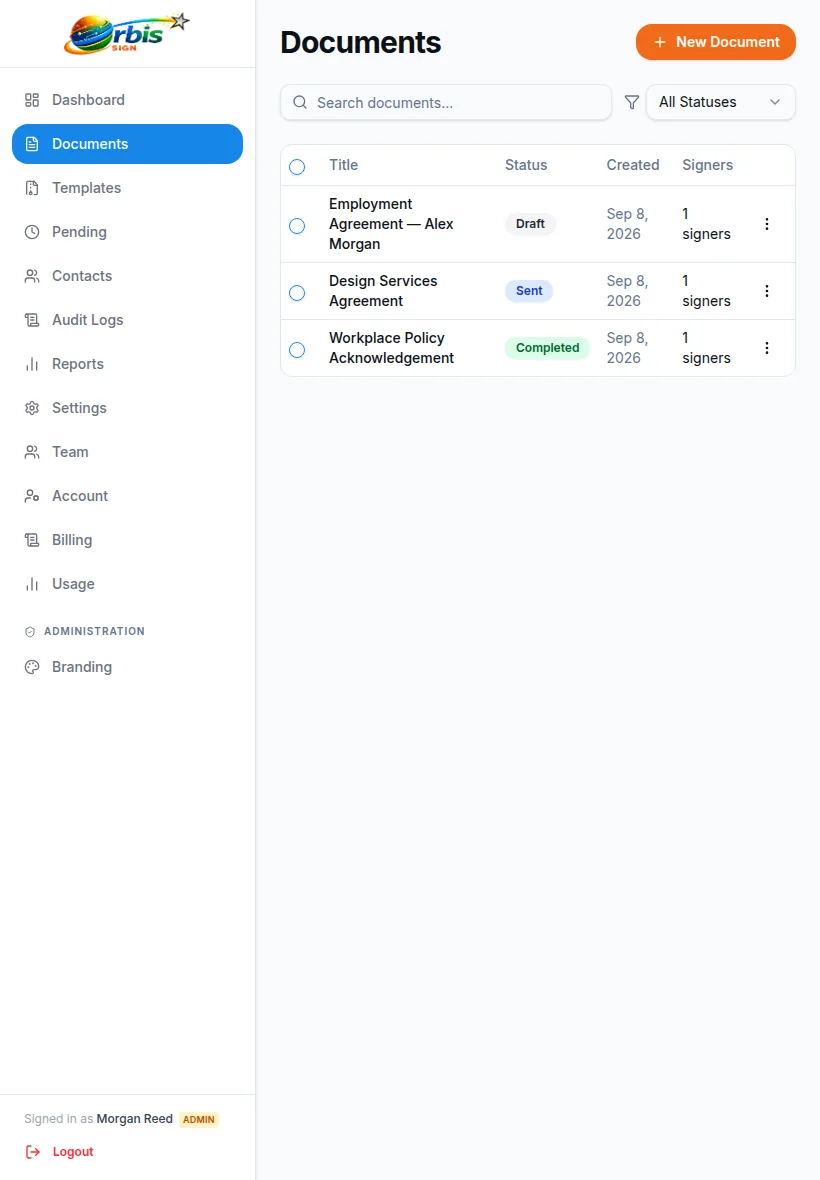
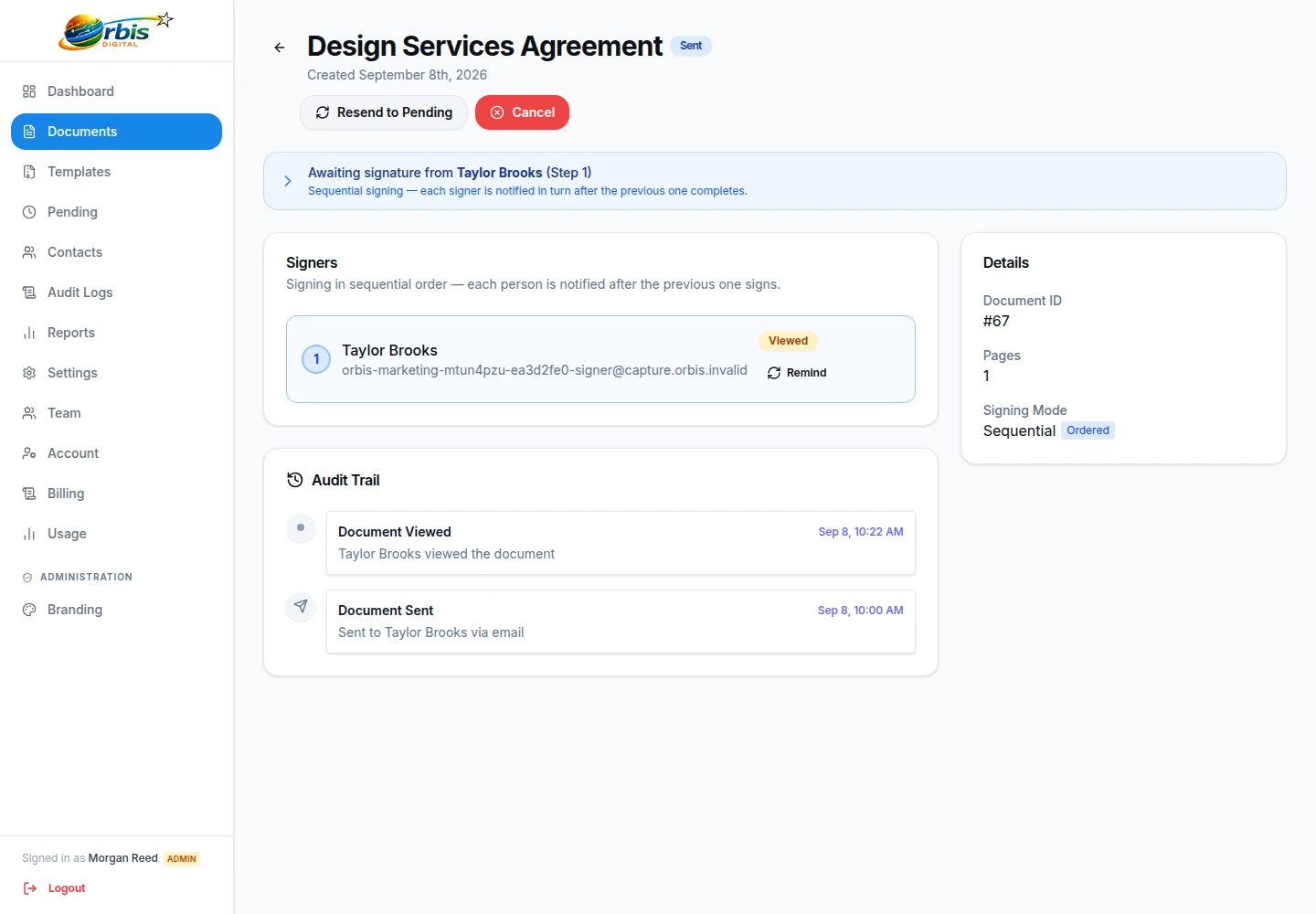
Check whether a document is pending or completed without searching email threads. The workspace retains the completed file and records selected workflow events.

How tracking works
Document tracking and audit trail view

From PDF to completed document

  1. Upload

    Choose the supported PDF you want recipients to review.

  2. Add recipients

    Check names, contact details and signing order.

  3. Place fields

    Assign signatures, dates and text fields to recipients.

  4. Send

    Issue invitations using the delivery options configured for your account.

  5. Keep the result

    Follow completion and download the resulting document.

See the signing workflow or explore document signing and recipient fields.

Business professional managing contracts

Stop chasing signatures

Whether you're bringing on a new employee, sending a client proposal, or approving a supplier contract, Orbis Sign provides a single place to handle the paperwork.

  • Send separate fields to different recipients on the same document
  • Recipients sign in a supported browser—no app required
  • Keep business records separate from personal email
View supported workflows

The completed record

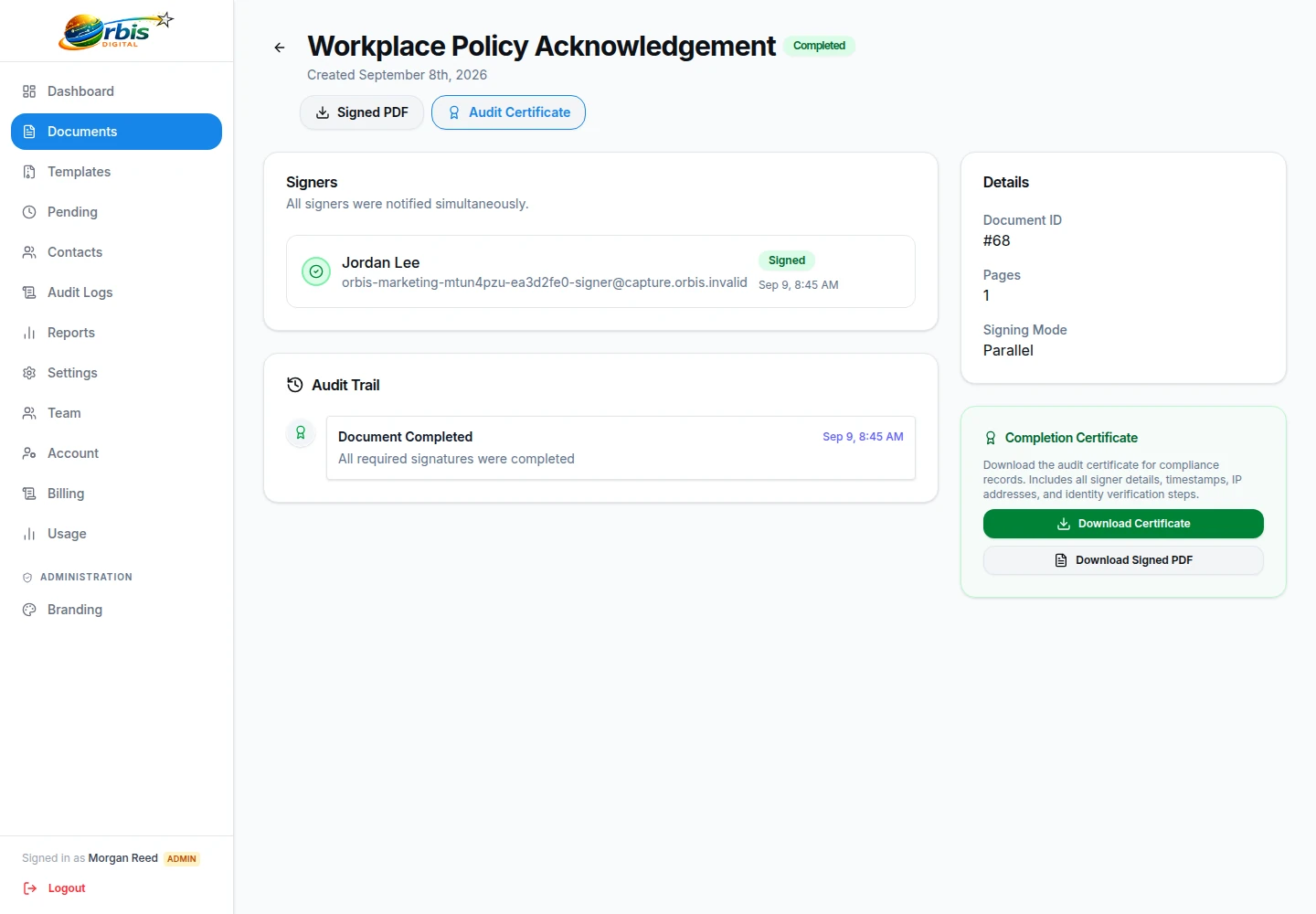
When all required fields are filled, the workspace finalises the PDF. You retain access to the document and a separate record of the selected workflow events.

Completion Certificate

A supplementary HTML export recording the final document status and recorded recipient actions.

Audit Controls

Some recorded events may include timestamps and reported network metadata to assist your internal compliance.

Completed document record and audit trail

Clear, predictable pricing

One straightforward plan, with the price and included monthly document allowance stated together.

One straightforward plan

Orbis Sign

£8.99/month

Up to 500 documents for signature each month

  • Prepare and send supported PDFs
  • Recipients sign in their browser
  • Document status and recorded activity
  • Completed-document downloads
Request access

Accounts are currently provided by invitation. Subscription terms are confirmed when access is arranged.

Questions before you send

How much is Orbis Sign?

The Orbis Sign plan is £8.99/month. Accounts are provided by invitation; subscription terms are confirmed when access is arranged.

How many documents are included?

Up to 500 documents for signature each month. The allowance refers to documents sent for signature, not a separate charge for every recipient on a document.

How does electronic signing work?

Prepare a supported PDF, add recipients and assign fields, then send it for signature. Each recipient reviews the document and completes their assigned fields in a browser.

Does the recipient need an Orbis Sign account?

Recipients use their individual signing link rather than creating a workspace account. Follow any verification steps presented for that document, and do not forward the link to someone else.

Can I use templates?

You can reuse document templates and field layouts. Check the document, recipient assignments and fields for each new send rather than assuming an old template is still appropriate.

Can I track documents?

The workspace shows document status and selected recorded workflow events. An event is not, by itself, proof that someone read or understood every part of a document.

What happens when signing is complete?

The completed PDF is available with the recorded workflow history. A supplementary HTML completion certificate can also be downloaded; it is distinct from the signed PDF.

Can I download completed documents?

Authorised workspace users can download the completed PDF and available supporting records. Keep copies in accordance with your organisation’s retention and access policies.

How do I cancel?

Use the support contact route to discuss cancellation. The applicable notice, effective date and payment arrangements are confirmed in your subscription terms; no instant refund or cancellation outcome is promised here.

Is Orbis Sign suitable for UK businesses?

Orbis Sign supports practical electronic-signing workflows for UK business documents. Suitability depends on the document and transaction, including any witness, deed, identity or execution requirements. It does not replace legal advice.

Need a practical walkthrough? Read the help guides or contact Orbis Sign.