

Feature
Clear Document Tracking
Review which workspace documents are draft, pending, or completed, and identify pending recipient actions.
Actionable insights
Orbis Sign shows document status and selected activity recorded by the workflow. Delivery, open, and completion events appear when the relevant system or provider reports them; they are not a guarantee that a particular person read the document.
- Clear statuses: Filter by Draft, Pending, or Completed.
- Manual reminders: Nudge unresponsive recipients with a single click.
- Document access: Workspace users can access completed PDFs according to application roles.
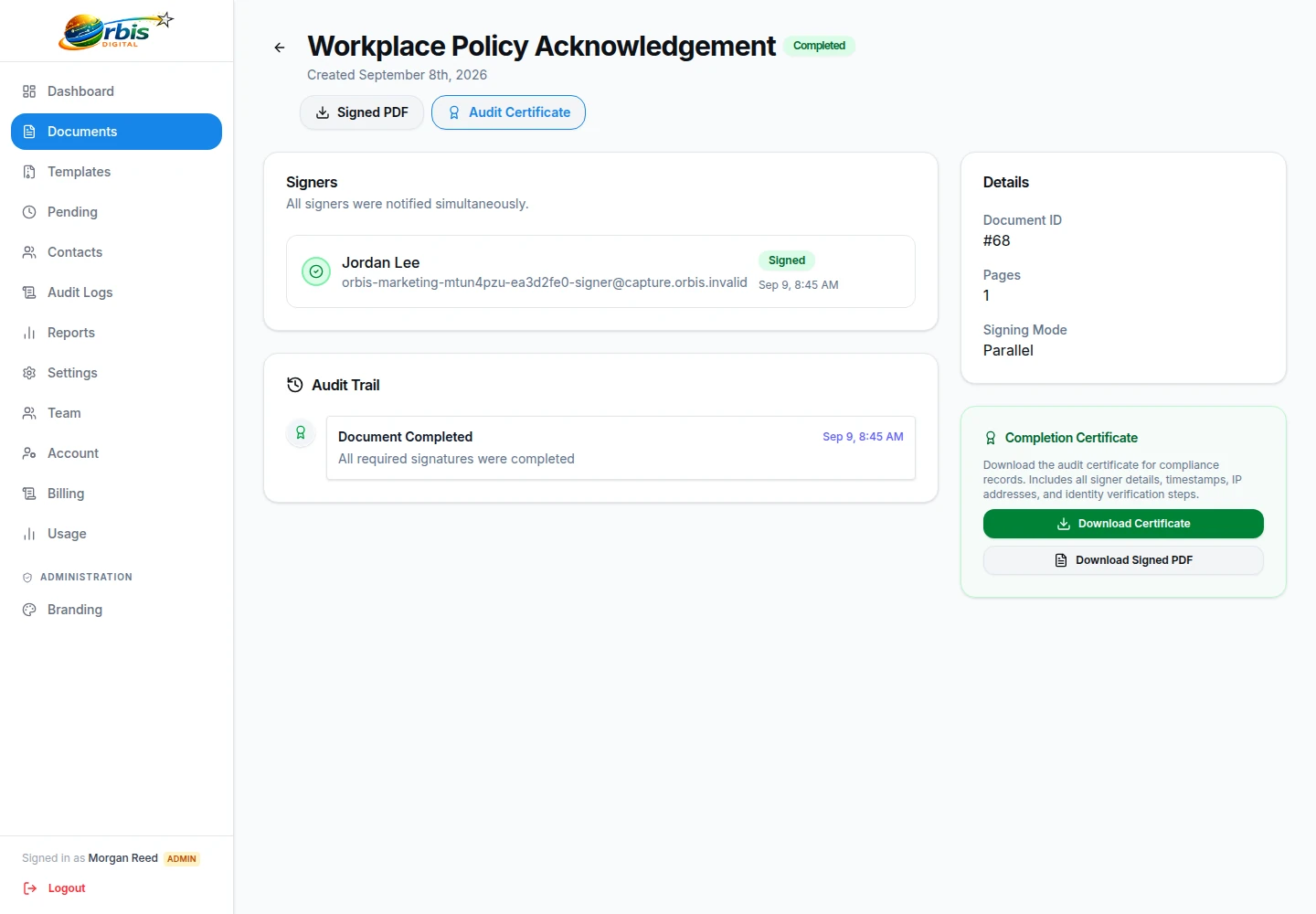
Turn a status into the right next action
A draft still needs preparation or approval. A pending document needs a recipient-level review: check which person is outstanding, whether the address was entered correctly, and whether signing order is intentionally holding a later recipient. Send a manual reminder only after confirming that another message is appropriate; repeated reminders can create confusion or pressure.
For completed documents, inspect the resulting PDF, confirm that the expected parties acted, and file the separate supporting record under your own retention policy. A “delivered” or “opened” event depends on the relevant provider's report. It does not establish that the intended individual personally received, read, understood, or had authority to sign the document.
Escalate declined, disputed, expired, or incorrectly addressed requests outside the dashboard rather than treating them as ordinary chasing. The electronic signature audit-trail guide explains how to distinguish workflow events from stronger conclusions.