

Solutions
Client approvals, organised.
Prepare statements of work, NDAs, and project approvals for a structured client-signing workflow.
Document your scope
Record the version presented for signature and retain the completed PDF and selected workflow activity. Clear drafting and authority remain your responsibility.
- Statements of Work (SOW): Get explicit agreement on deliverables before work begins.
- Non-Disclosure Agreements (NDAs): Request signatures on agreed confidentiality terms.
- Retainer Contracts: Record signatures on agreed ongoing-service terms.
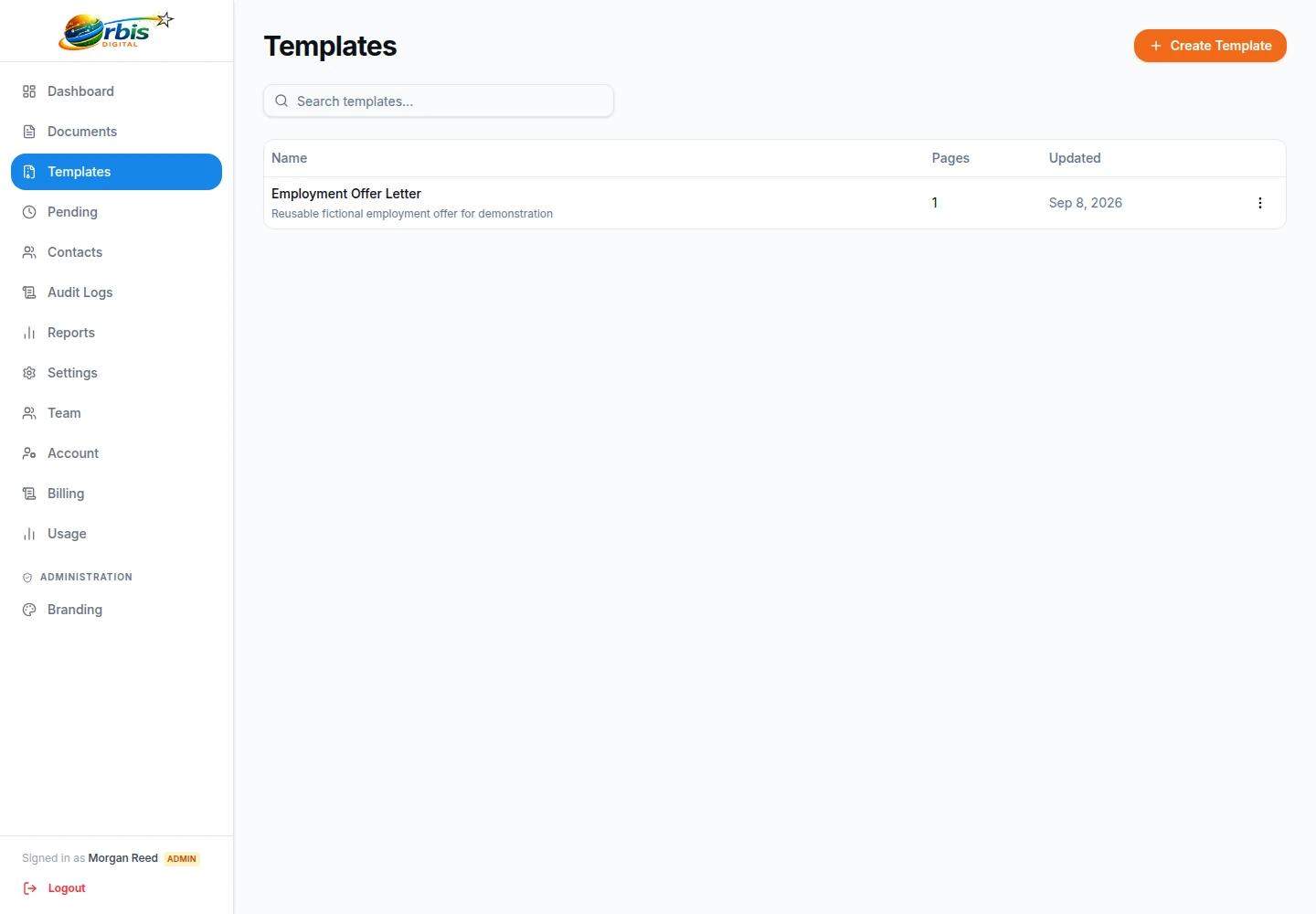
Keep commercial approval ahead of client signature
Before an account manager sends a statement of work, confirm the approved scope, assumptions, fees, client entity, and internal signatory. Upload the final PDF rather than a draft from an email thread. If the client negotiates a change, return it to the document owner and issue a corrected version instead of asking signers to ignore old wording.
Templates can preserve fields for a stable format, while sequential routing can place client acceptance before an agency director's signature. Neither feature confirms that the client contact has authority. Record that decision in the account or project system that owns the relationship.
When the workflow completes, review the signed output and file it under the project reference with the relevant approvals. Keep creative sign-off and deliverable acceptance separate if they need different evidence. The contract execution checklist covers version and authority controls; reusable templates explains safe repeat use.
Brand it as your own
Add your agency's name, logo and colours to signing pages and emails so clients recognise who is asking. A small “Powered by Orbis Sign” note remains.
Explore brandingGet approvals before work begins
Starting a project before the paperwork is finished can cause awkward conversations later. Sending a statement of work or NDA for signature early helps set a clear start.
Confirm internal approval of scope and fees first, and use templates to keep your standard documents consistent.

E-signature for marketing agencies that need a clear start
Agency work rarely fails because of the creative. It goes wrong when nobody can find the agreed scope, the client’s new marketing director has a different idea of what was promised, or work started on a verbal yes that never turned into a signature. A signed statement of work, retainer or NDA gives both sides something to point to.
Orbis Sign is a straightforward way for marketing, design, digital and PR agencies to send those documents and get them back. You upload the final PDF, mark where the client signs, and send it to the right people in the right order. The client signs in their browser without an account, and the signed PDF and audit certificate arrive by email for everyone involved.

How to get statements of work signed before kick-off
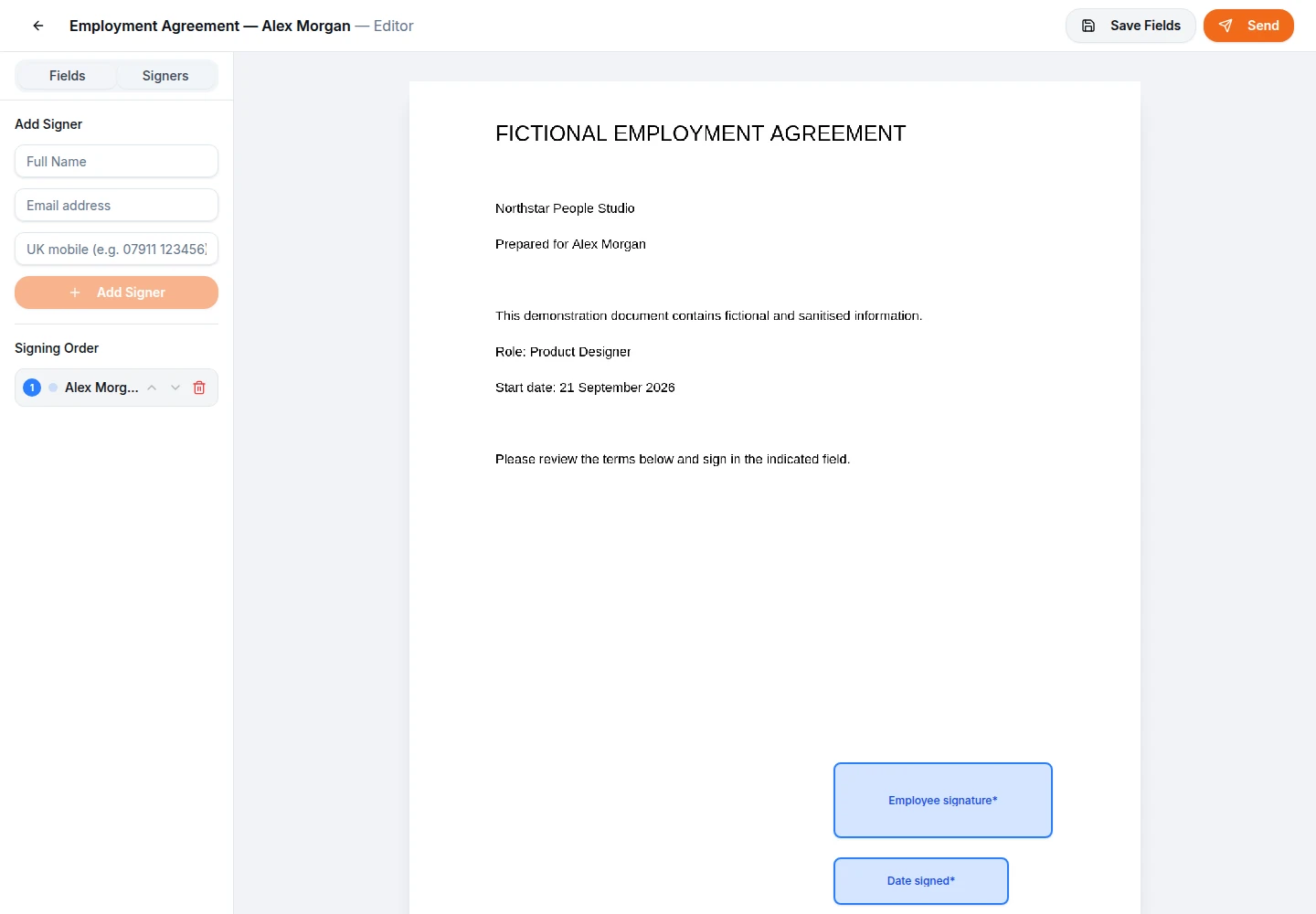
The best time to send a statement of work is straight after the client has agreed it in principle, while the conversation is fresh. Export the agreed version to PDF, upload it and add the fields: a signature and date for each signer, and perhaps a text field for the client’s purchase order number.
Client first, agency countersigns
Sequential signing is the default. Put the client contact first and your agency director second, and the director only receives the link once the client has signed. That way the agency never signs a scope the client has not yet accepted.
Setting a sensible deadline
Links last seven days unless you change them, and you can set anything from one day to a year. A short deadline on a statement of work helps keep a start date realistic.
Retainers, renewals and change requests
Retainer clients tend to stay for years, and their agreements change along the way: fees rise, scope expands, a new service is added. Each change deserves its own signed record rather than an email thread that someone may delete.
A simple approach is to keep a short change request form as a template, with fields for the change description and cost filled in by the account manager using sender-filled text fields, and a signature field for the client. Because the client cannot edit sender-filled fields, the agreed wording stays as you wrote it. If the client wants to alter the change, they can decline with a reason, which cancels the request and tells you why, and you send a corrected version.

NDAs before the pitch
Prospective clients often want a non-disclosure agreement in place before they share a brief, sales figures or launch plans. The faster the NDA is signed, the sooner your team can start work on the pitch.
Because a mutual NDA usually has one signer from each side, parallel signing is often the better choice: both people receive their link at once and neither waits for the other. Keep your standard NDA as a template so any account manager can send it in a couple of minutes, and the wording stays the version your directors approved. If the client insists on their own NDA, upload their PDF instead. Orbis Sign signs whatever PDF you give it, so read it first.

Freelancer and subcontractor agreements
Most agencies rely on freelancers: designers, copywriters, developers and photographers who join a project for a few weeks. Each should sign an agreement covering confidentiality, intellectual property and payment terms before they see client material.
For example, a small design agency might keep a freelancer agreement template with fields for the freelancer’s name, address, company and day rate, plus a signature. When a project manager books someone new, they use the template, add the freelancer’s details and send. The freelancer signs on their phone, and the agreement sits in the workspace beside the client documents for that project. This is a hypothetical illustration of how the templates feature can be used.

Your agency’s brand on the signing page
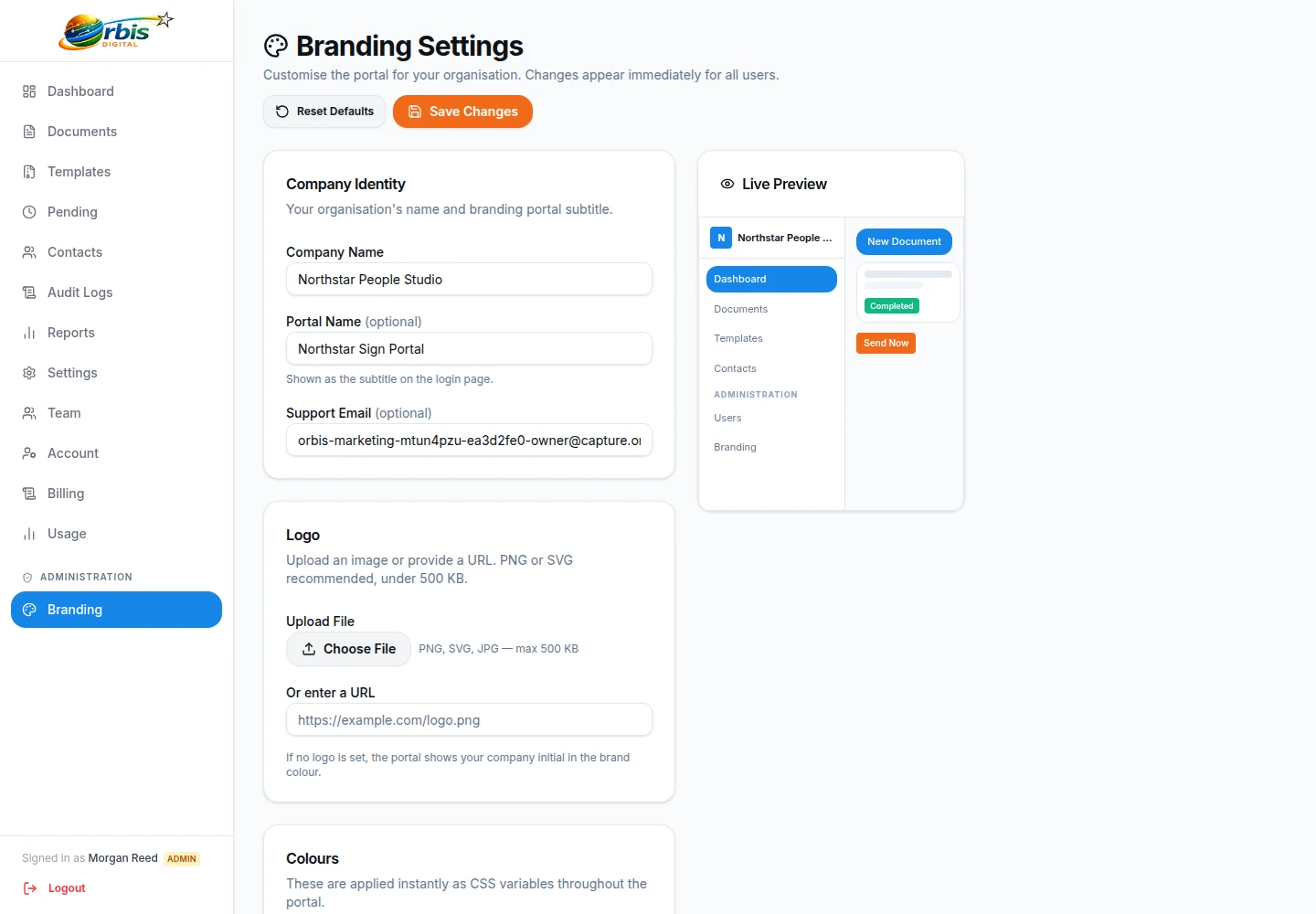
Clients should recognise who is asking them to sign. In the branding settings you can add your company name, logo, primary, secondary and accent colours, and a support email. These appear on the signing page, the completion page, the signing emails and the audit certificate.
Invitations are sent from Orbis Sign’s own email address, showing your company name as the sender name, and any replies go to your support email. A small Powered by Orbis Sign note remains, so this is branding rather than a fully white-label service, and there is no option to send from your own domain. For most agencies that is enough for a client to know the request is genuine. See business branding for more.
Tracking signatures across client accounts
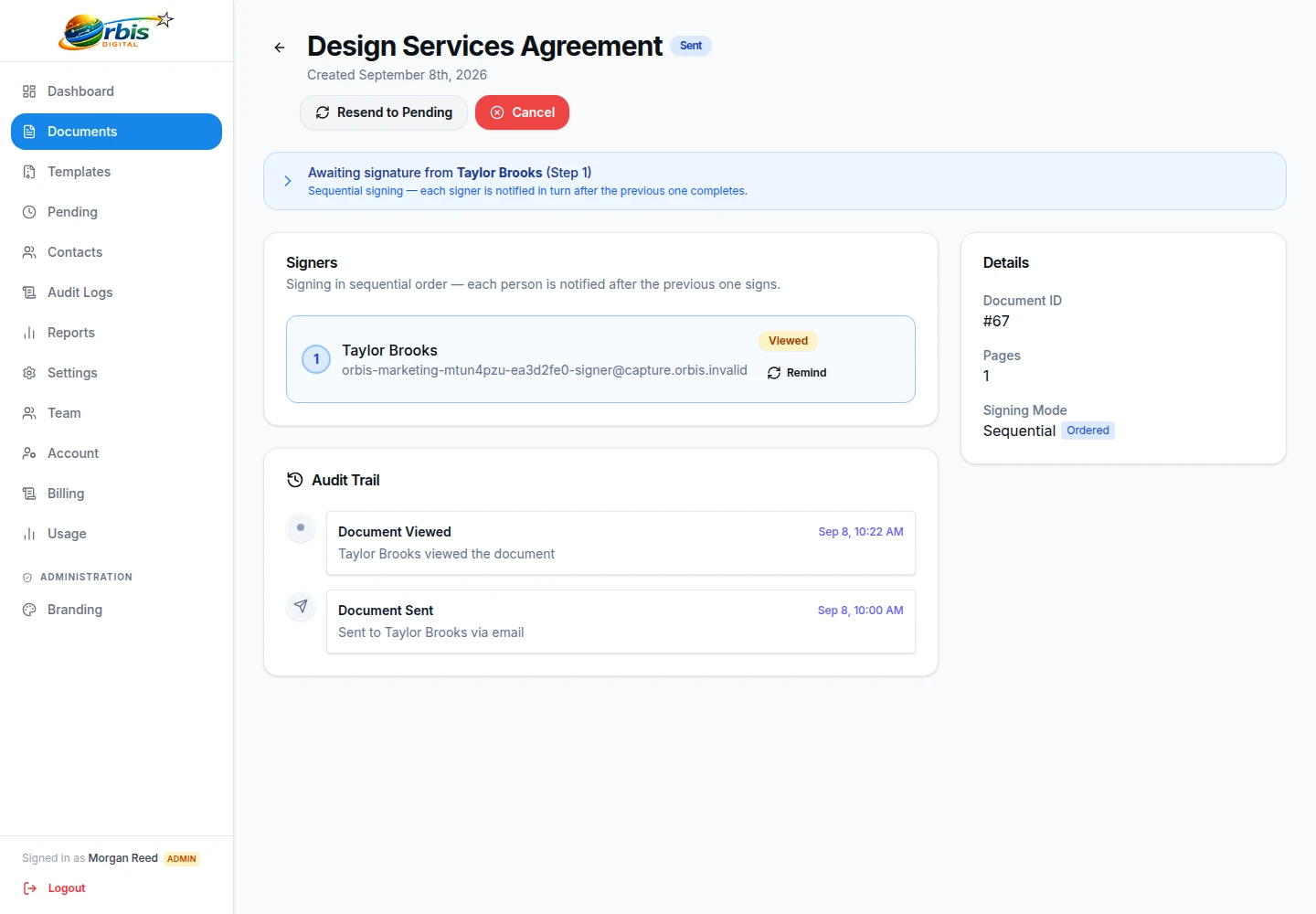
An agency with twenty live clients can easily lose track of which documents are still out. The document list shows every document with its status, from Draft and Pending through Partly signed to Completed, Cancelled or declined, or Expired. You can search by title and filter by status.
Open any document to see each signer’s progress, whether the invitation was sent, opened and viewed, and when they signed. If a client has gone quiet, resend the invitation to the pending signer. Each document also has its own audit page with a timed list of events, which is useful when a client asks when a contract was sent. Naming documents with the client and project reference makes the list much easier to search. Read more about document tracking.
Roles for account managers, directors and finance
Not everyone in an agency should be able to do everything. Orbis Sign has Owner, Admin and User roles, and you can build custom roles from detailed permissions. A sensible setup lets account managers send documents from approved templates, while only directors or operations staff can create or edit templates.
By default, standard users can use templates but not create them, which already protects your standard wording. You can require two-factor authentication for chosen roles, and the team security log records changes to access. Because there is no per-user charge, adding a new account manager does not change the bill. The team management page explains the options.

Worked example: a digital agency onboarding a new client
Picture a twelve-person digital agency that has just won a website project. On day one, the account manager sends the mutual NDA in parallel to the client’s head of marketing and the agency’s managing director. The next day, once scope is agreed, she sends the statement of work in sequence: client first, managing director second.
Two weeks later the client asks for an extra landing page, so the account manager sends a one-page change request from a template. Each document carries the agency’s logo and colours. At the end of the month, the operations lead exports the reports as a CSV for the management meeting. This is a hypothetical example, but each step uses features that exist today.

Agency e-signatures: common questions
Can a client sign on behalf of their company?
A client contact can sign any document you send them, but Orbis Sign does not check whether that person has authority to bind their company. Confirm who the authorised signatory is during your commercial conversations, and record it in your own account or project system.
Can I send a statement of work to several people at the client?
Yes. Add each person as a signer and give each at least one field. Choose sequential order if they should sign one after another, or parallel if they can sign at the same time. Every recipient is a signer; there is no copy-only recipient type.
Can clients sign without creating an account?
Yes. Each client receives a unique link and signs in their browser on a phone, tablet or computer. They tick a box to agree to sign electronically and then type or draw their signature. They do not need to download an app or register.
What if the client wants to change the scope after I send it?
The client can decline with a reason, which cancels the document and stops all links. You can also cancel it yourself if it is not yet complete. Update the PDF, then send the corrected version as a new document so the signed record matches the agreed wording.
Is Orbis Sign fully white-label for agencies?
No. You can add your logo, colours, company name and support email, and these appear on the signing page, emails and certificate. A Powered by Orbis Sign note still appears, and emails are sent from Orbis Sign’s sending address rather than your own domain.
Does Orbis Sign connect to our project management or CRM tools?
No. Orbis Sign does not offer integrations, a public API or webhooks. You download the signed PDF and audit certificate from the app or from the completion email and file them in your own systems. Contacts and reports can be exported as CSV.