
Orbis Sign

Property operations

Electronic signing for routine property paperwork

Coordinate appropriate property documents online, with a firm boundary around deeds, witnessing, identity checks, registration and regulated transaction requirements.

Property is not one signing use case

Agents, managing agents, landlords, contractors and professional advisers handle very different documents. Routine contractor scopes, management approvals, inventory acknowledgements or selected commercial correspondence may fit a standard electronic workflow after review. Transfers, charges, deeds, guarantees, tenancy documents and filings can involve particular legal, witnessing, identity or registry rules.

Orbis Sign must not be treated as a universal conveyancing or identity platform. It supports preparation and routing of supported PDFs; the user decides whether that route is appropriate.

Before sending a property document

  • Classify the document and check whether it must be a deed or witnessed.
  • Confirm property identifiers, parties and authority against trusted records.
  • Resolve drafting changes and export the approved version to PDF.
  • Choose signing order to match approvals and any conditions.
  • Keep identity, anti-money-laundering and source-of-funds processes separate where required.
  • Check registry, lender, insurer or professional-body requirements.

Use records proportionately

Document states and selected activity can help property teams follow outstanding actions. They do not establish title, capacity, authority or compliance with witnessing rules. Completion records should be reviewed alongside the approved version and the organisation’s transaction file.

The Law Commission’s electronic execution work is a useful authoritative starting point for England and Wales. Obtain transaction-specific advice and consult the relevant registry or regulator where applicable. See also the Orbis Sign contract execution checklist.

This is general practical information, not legal advice. Electronic execution is not suitable for every document. Check the law, agreed formalities and your organisation’s requirements for the transaction.


Discuss an appropriate property workflow

Start a 7-day free trial with no card, or tell us what you need to send, who needs to act and how you need to retain the result.

Electronic signature software for estate agents and letting agents

A busy lettings or sales office sends a steady flow of everyday paperwork: terms of business for new landlords, instructions to market a property, inventory acknowledgements, contractor approvals and a range of tenancy documents. Much of it is signed by people who are rarely in the office at the same time, which is where printing, posting and scanning slow everything down.

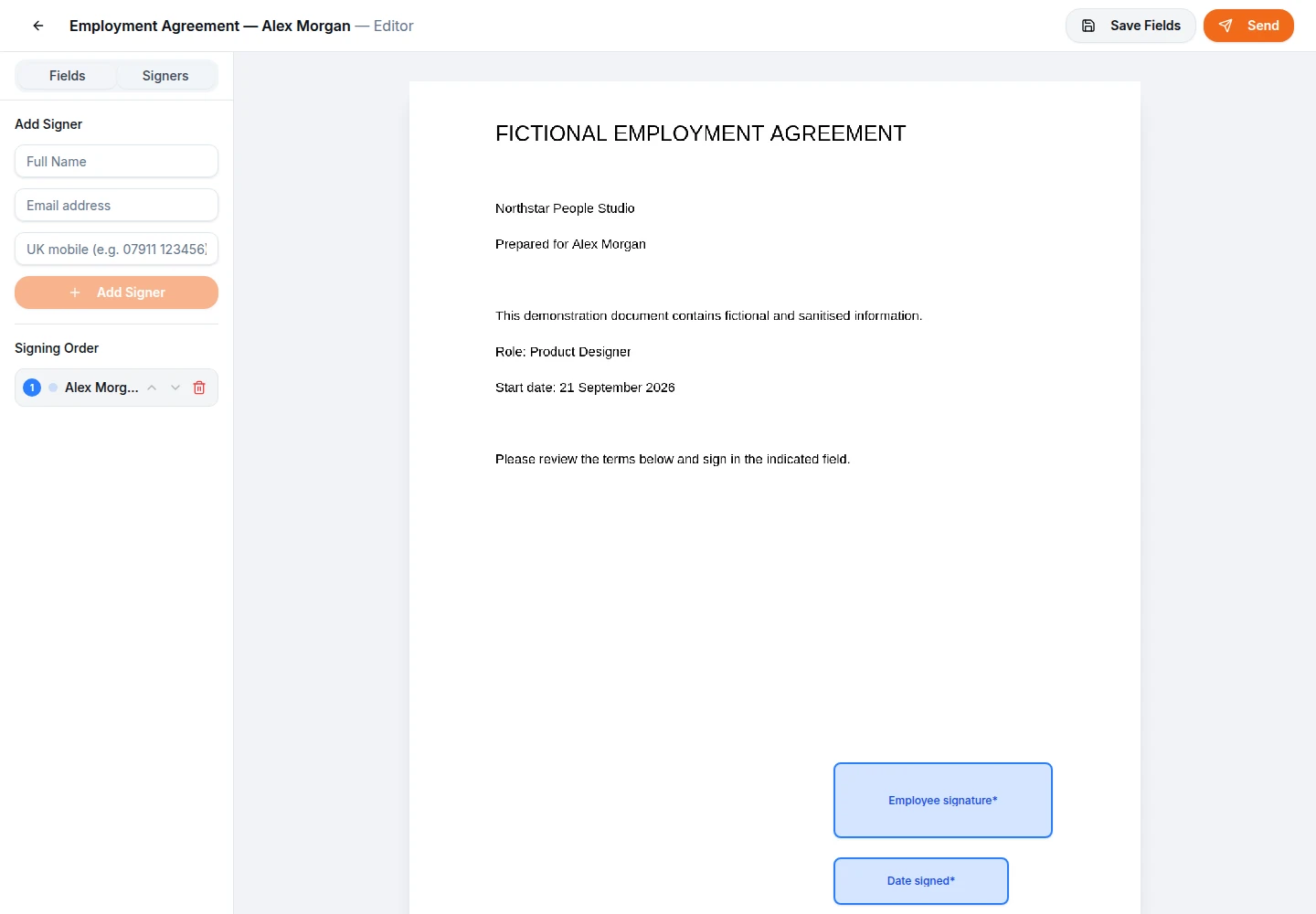
Orbis Sign gives an agency one place to upload the final PDF, mark where each person signs, send it by email and see who has signed. Landlords, tenants and contractors sign in their browser with no account and no app. The completed PDF and a separate audit certificate come back to every signer and to your team, ready to file against the property.

A man signing a paper document while a colleague with a clipboard looks on

E-sign tenancy agreements in the UK: what to check first

Electronic signatures are generally capable of being legally valid and admissible in England and Wales, and many letting agents already use them for routine tenancy paperwork. Even so, it pays to classify each document before it goes out. A typical residential tenancy agreement is different from a long lease, and a lease that has to be made as a deed brings formalities that a standard electronic signing route does not meet.

Ask three questions before sending. Does this document need to be a deed or witnessed? Does a lender, insurer, scheme or registry set its own rules for it? Are the parties and their authority confirmed from records you trust? If any answer is unclear, take advice before using an online route. This is general information, not legal advice, and our guide to electronic signatures in the UK explains the background in more detail.

A woman reading printed papers beside her laptop

Where Orbis Sign stops: deeds, witnessing and Land Registry

Orbis Sign is a straightforward electronic signature service. It does not provide witnessing, advanced or qualified electronic signatures, certificate-based digital signatures or identity verification. That matters in property, because transfers, charges, many leases and other deeds can require a witness or a specific execution process, and HM Land Registry publishes its own requirements for the documents it will accept.

Those transactions belong with your conveyancer or solicitor and the systems they use. Keep Orbis Sign for the everyday documents around a let or a sale, where an ordinary electronic signature is a sensible fit. If you are unsure which side of the line a document falls, the difference between electronic and digital signatures is a useful starting point before you speak to an adviser.

Three people discussing papers at a meeting table in a professional office

Documents a property team commonly sends online

For example, a lettings agency might use one route for landlord terms of business and marketing instructions, another for inventory and check-in acknowledgements, and a third for contractor quotes that a landlord needs to approve. A sales office might send its terms of business to a vendor and a short acknowledgement of fees. Block and property managers often send maintenance approvals, service agreements and routine supplier forms.

Each of these is usually a short PDF with a clear set of signers. Orbis Sign accepts any PDF up to 10 MB with no page limit, so a long inventory with photographs can still go through as long as it fits within that size. If a document starts life in Word, save it as a PDF first; password-protected or damaged files are rejected at upload.

A meeting around a table, one person holding a document

Setting up a letting agent e-signature workflow

A tenancy pack usually has several people on it, so it helps to set the route once and follow it every time.

Prepare the PDF and place the fields

Upload the agreed final version, then add signature, initials and date fields for each person. Name, address, phone and email fields let a tenant confirm details, and a sender-filled text field can show a property reference or rent that the signer cannot edit. Fields are required by default; make the odd one optional where it genuinely is.

Add the signers and choose the order

Add each tenant, any guarantor and the landlord or the agent signing for them. Sequential order sends the invitation to each person in turn; parallel order sends to everyone at once. Every recipient in Orbis Sign is a signer, and each must have at least one field, so do not add someone who only needs a copy.

Orbis Sign signers panel screen showing recipients and the signing order

Joint tenants, guarantors and landlords who live abroad

Joint tenancies are where an online route saves the most time. Rather than waiting for sharers to come in one by one, a parallel route lets every tenant sign from wherever they are, and the document completes once the last signature arrives. Where a guarantor should only see the document after the tenants have signed, a sequential order handles that.

Overseas landlords can sign in a browser like anyone else, with invitations by email and, where SMS is enabled for your workspace, by text message as well. For documents that need a little more care, you can require a one-time passcode sent by email, which confirms the signer had access to that inbox at the time. It does not verify their identity, so keep your usual landlord and tenant checks in place.

A businesswoman with a suitcase checking her phone

Templates for terms of business and inventory acknowledgements

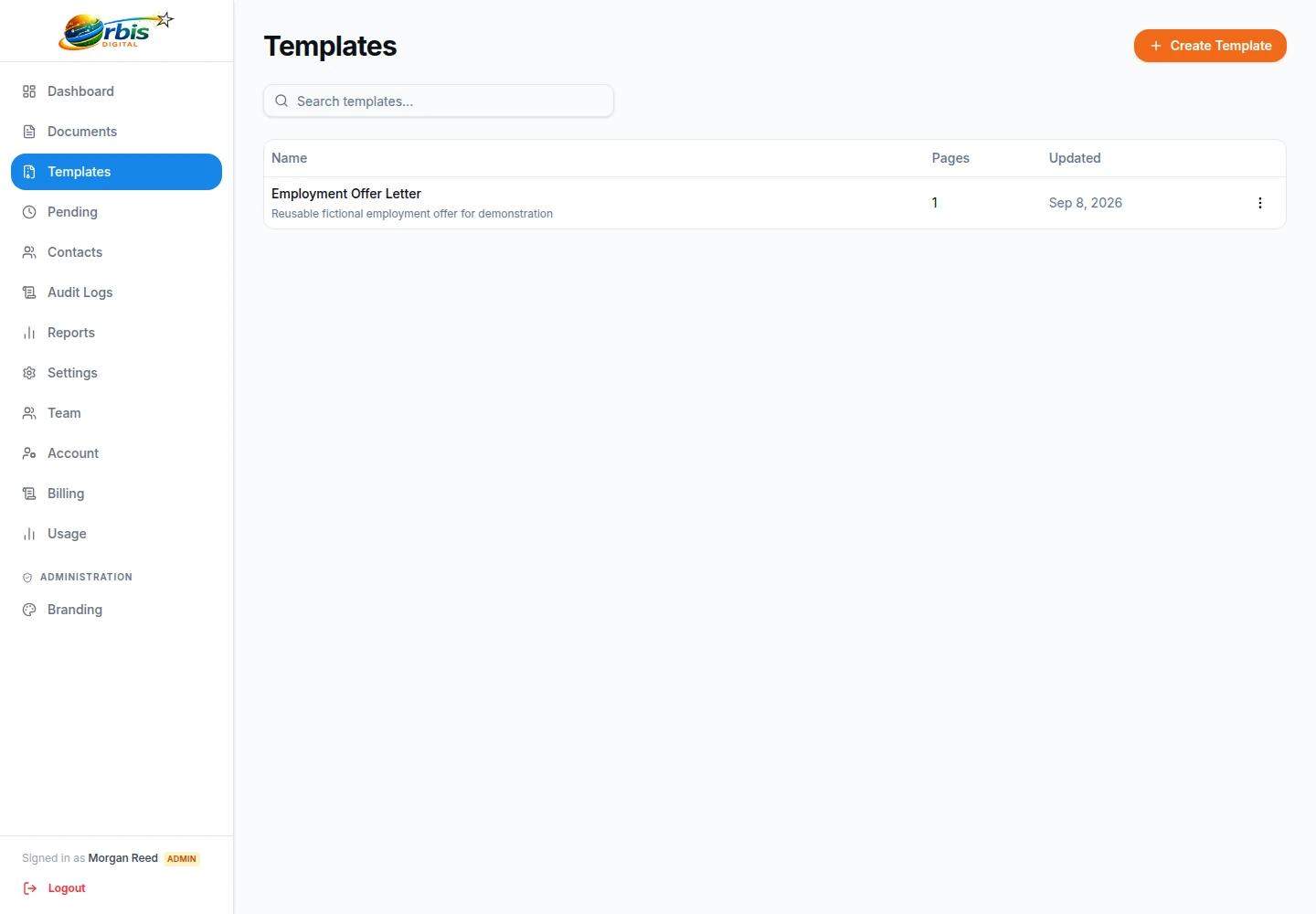
Most agencies send the same handful of documents every week. Saving each one as a reusable template keeps the fields in the right places, so a negotiator only has to choose the template, add the signers and send. Templates are shared across the workspace, and permissions decide who can create, edit, use or delete them. By default, standard users can use templates but not create them, which keeps your approved wording under the control of a manager.

Review templates whenever your terms, fees or tenancy wording change. A template stores field positions, not legal judgement, so an out-of-date template will repeat an out-of-date clause until someone updates it.

Orbis Sign template list screen showing saved document templates

Following up and keeping the property file complete

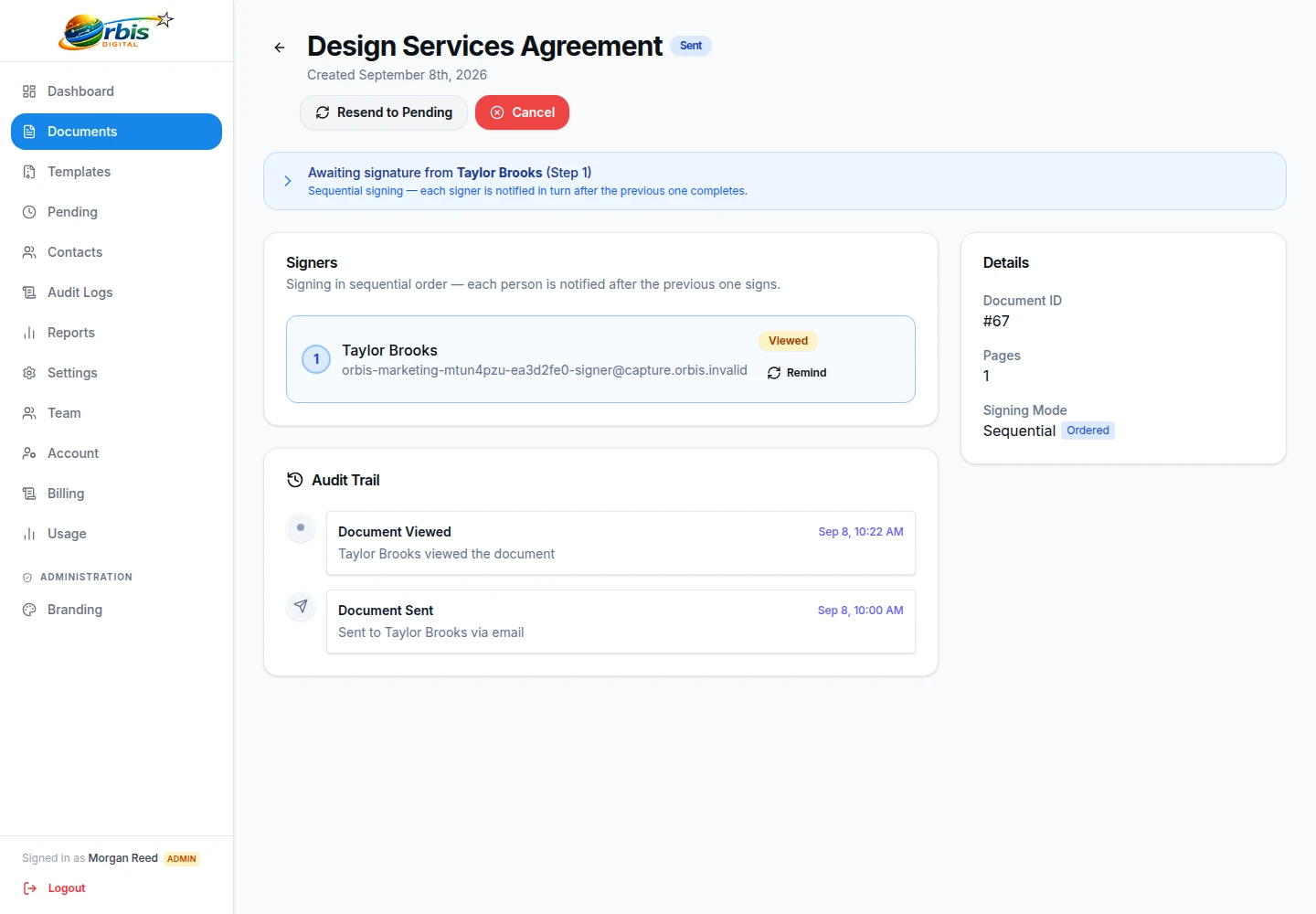
The documents list shows each item as draft, pending, partly signed, completed, cancelled or declined, or expired, and you can open any document to see whether each signer has opened, viewed or signed it. Reminders are sent by hand, so a property manager chooses when to nudge a slow signer. Links share one deadline, seven days by default and adjustable from 1 to 365 days, after which the document expires.

If a tenant spots a mistake, they can decline with a reason, which cancels the document. Recipients cannot be changed after sending, so cancel and send a corrected copy. Once complete, download the signed PDF and certificate and file them with the tenancy or work order in your own records. Orbis Sign does not delete documents automatically, so set your own retention rules.

Orbis Sign document tracking screen showing recipient status and the audit trail

Branches, staff accounts and cost

An agency with several negotiators and property managers can invite each person by email and give them the Owner, Admin or User role, or a custom role built from detailed permissions. Two-factor authentication with an authenticator app is available, and a workspace policy can require it for chosen roles. People who work across more than one branch workspace can switch between them.

There is one plan at £8.99 a month, covering up to 500 documents sent for signature each month, with no charge per user. Your logo and colours appear on the signing page and emails through business branding. The pricing page has the details, and the 7-day free trial needs no card.

Four colleagues standing with folders

Property and lettings e-signatures: common questions

Can letting agents use Orbis Sign for tenancy agreements?

Many letting agents send routine tenancy agreements for electronic signature, and electronic signatures are generally capable of being valid in England and Wales. Check each document first: some leases must be made as deeds or witnessed, and Orbis Sign does not provide witnessing. This is general information, not legal advice, so take advice where you are unsure.

Can I use Orbis Sign for a property transfer or a mortgage deed?

Orbis Sign is not designed for transfers, charges or other deeds that need witnessing or a registry-approved process. It does not provide witnessing, qualified electronic signatures or identity verification. Those documents should go through your conveyancer and the process that HM Land Registry and any lender require.

Do tenants and landlords need an account to sign?

No. Each signer receives a unique link by email, and also by text message where SMS is enabled for your workspace. They open the document in a browser on a phone, tablet or computer, tick to consent to signing electronically, then type or draw their signature. No app or Orbis Sign account is needed.

Can a landlord just receive a copy without signing?

Every recipient in Orbis Sign is a signer and needs at least one field, so there is no copy-only recipient. When a document completes, every signer receives the signed PDF and certificate by email, and so does your workspace support email if you have set one. You can forward the files to anyone else who needs them.

Does the one-time passcode check a tenant’s identity?

No. The optional passcode is sent to the signer’s email address and shows that whoever signed had access to that inbox at the time. It does not verify who they are. Keep right to rent, referencing and any identity checks in the processes you already use for them.

How long can a tenancy pack stay open for signing?

Links and the document share one deadline, which is seven days by default and can be set anywhere from 1 to 365 days. After that the document expires automatically. If a signer runs out of time, send a fresh copy rather than trying to reopen the old one.